Know the problem before you call them back.
Sawbill sits on your website and asks customers a few simple questions about what’s going on. You get the problem, how urgent it is, and how to reach them — before you ever pick up the phone.
We’re starting with a handful of HVAC, plumbing, and electrical shops.
Your site gets visitors. Your contact form loses them.
Someone’s furnace quits and they land on your site. Your form asks for their name, email, and a message. You still don’t know what’s actually wrong — and they still don’t know when they’ll hear back.
Sawbill gets the useful stuff up front.
A few questions. A much better callback.
01
They tell you what's going on.
Sawbill walks them through a few simple questions based on the problem they're having.
02
You get the details.
What system, what's happening, how urgent it is, and the best way to reach them.
03
You call them back ready.
No starting from scratch. You already know why they called.
A contact form gives you a name. Sawbill gives you the job.
Both capture the same visitor. Only one tells you what to do next.
What your form sends you today
Name: Sarah M.
Email: sarah.m@gmail.com
Message: “Our AC stopped working. Can someone call me?”
Your callback starts from zero — if she hasn’t already booked whoever answered first.
The same visitor through Sawbill
Now when you call Sarah back, you already know what you’re dealing with.
Know who needs you first.
No heat tonight should be ahead of someone looking for an estimate next month. Sawbill sorts that out for you.
Spend less time asking the basics.
Your customer already told you what's happening. Pick up the phone with some context.
Know which jobs came from your website.
Mark a job booked, close it when you're done, and add the final amount. Sawbill keeps track.
Everything you need before you call back.
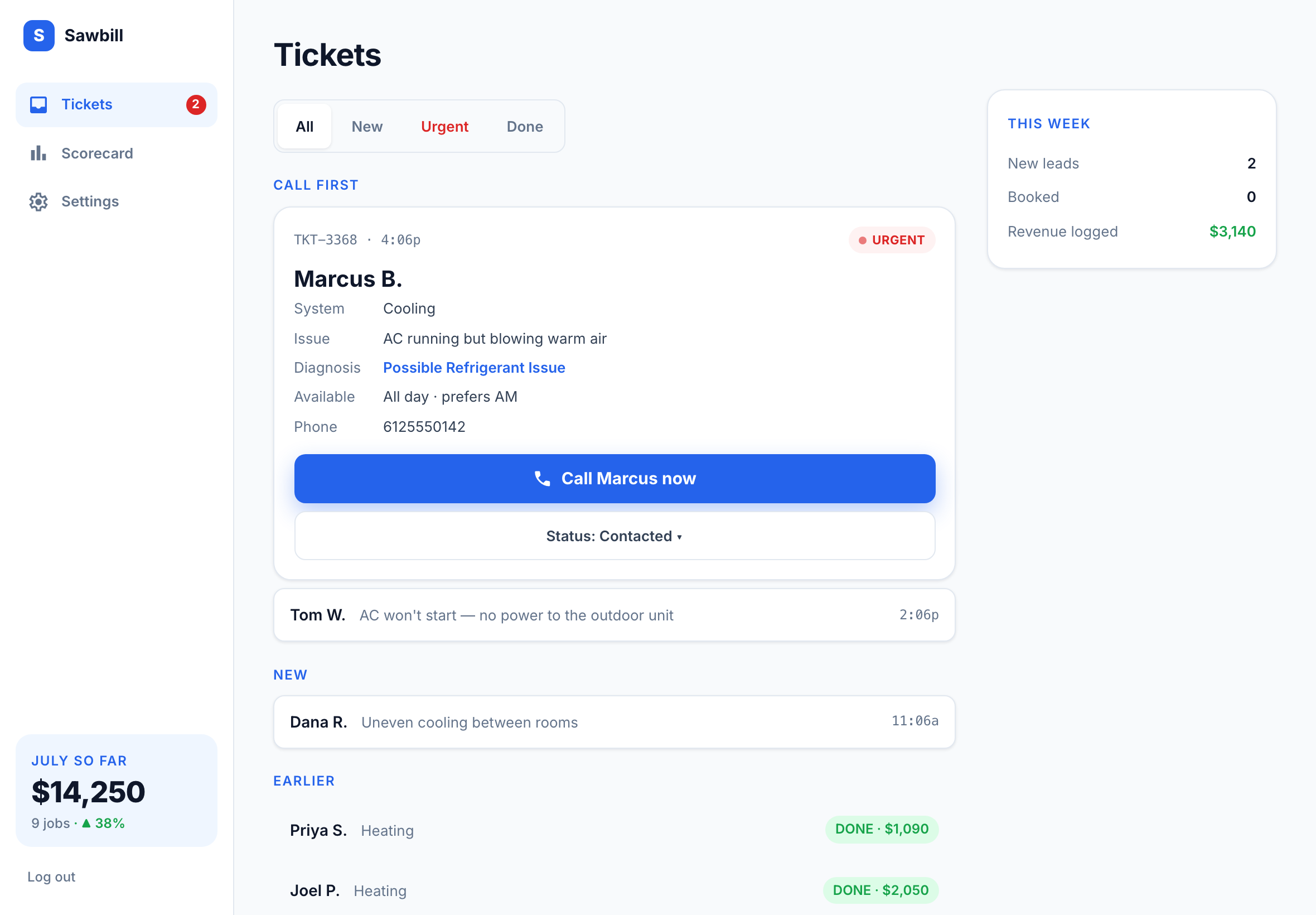
Add it to the site you already have.
One small piece of code. No rebuild and no need to change website platforms.
01·Tell us about your business.
02·Set up your Sawbill.
03·Add it to your website.
04·You're live.
Don’t want to mess with the code? We’ll install it for you.
Works with most common website platforms.
Questions, answered.
One small script snippet on your existing website — works with most common website platforms. If you'd rather not touch your site, we handle the install with you during onboarding.
Something else? Ask us.
See if Sawbill fits your shop.
Tell us a little about your business and see how Sawbill would work on your site.